You're One Step Away from
building your first website!
qr code Payment Instructions
Follow These Steps to Pay via GCash:
Step 1: Scan the QR Code
📱Open any app that can pay using QR Code and tap “Scan QR”.
📱Scan the QR Code to make the payment.
Step 2: Enter Payment Details
📱Amount: ₱3,000.
📱Confirm and complete the transaction.
Step 3: Download or Take a Screenshot of Your Payment Receipt
📱This serves as your proof of payment.
Step 4: Send Your Payment Screenshot for Confirmation
📱Click the button below.
📱Send us a message with the screenshot of your payment.
📱Wait for the payment confirmation message from us.
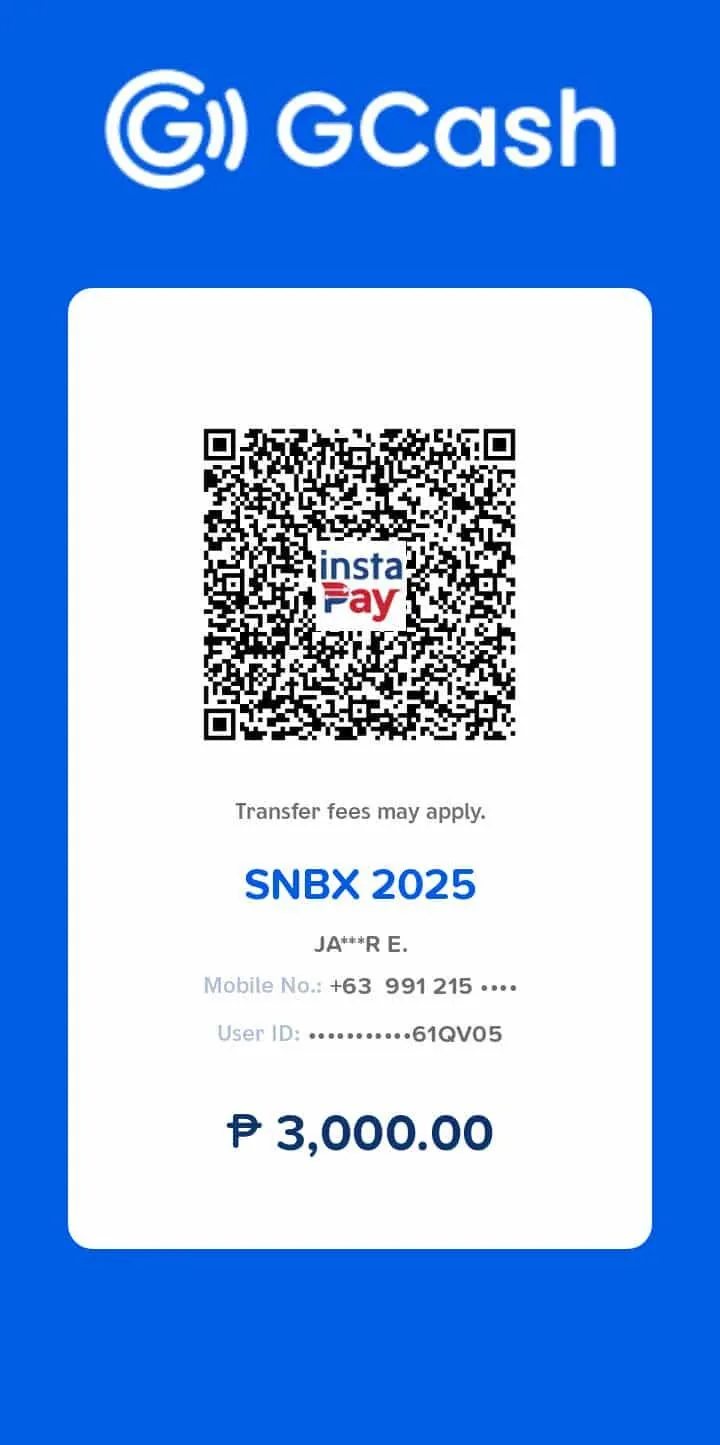
GCash Payment Instructions
Follow These Steps to Pay via GCash:
Step 1: Scan the QR Code
📱Open your GCash App and tap “Scan QR”
📱Scan the QR Code below to make the payment
Step 2: Enter Payment Details
📱Amount: ₱3,000
📱Confirm and complete the transaction
Step 3: Download or Take a Screenshot of Your Payment Receipt
📱This serves as your proof of payment
Step 4: Send Your Payment Screenshot for Confirmation
📱Click the button below
📱Send us a message with the screenshot of your payment
📱Wait for the payment confirmation message from us
© 2025 SNBX Training Program. All Rights Reserved.